The Move
@ Northwestern CS
Project Overview
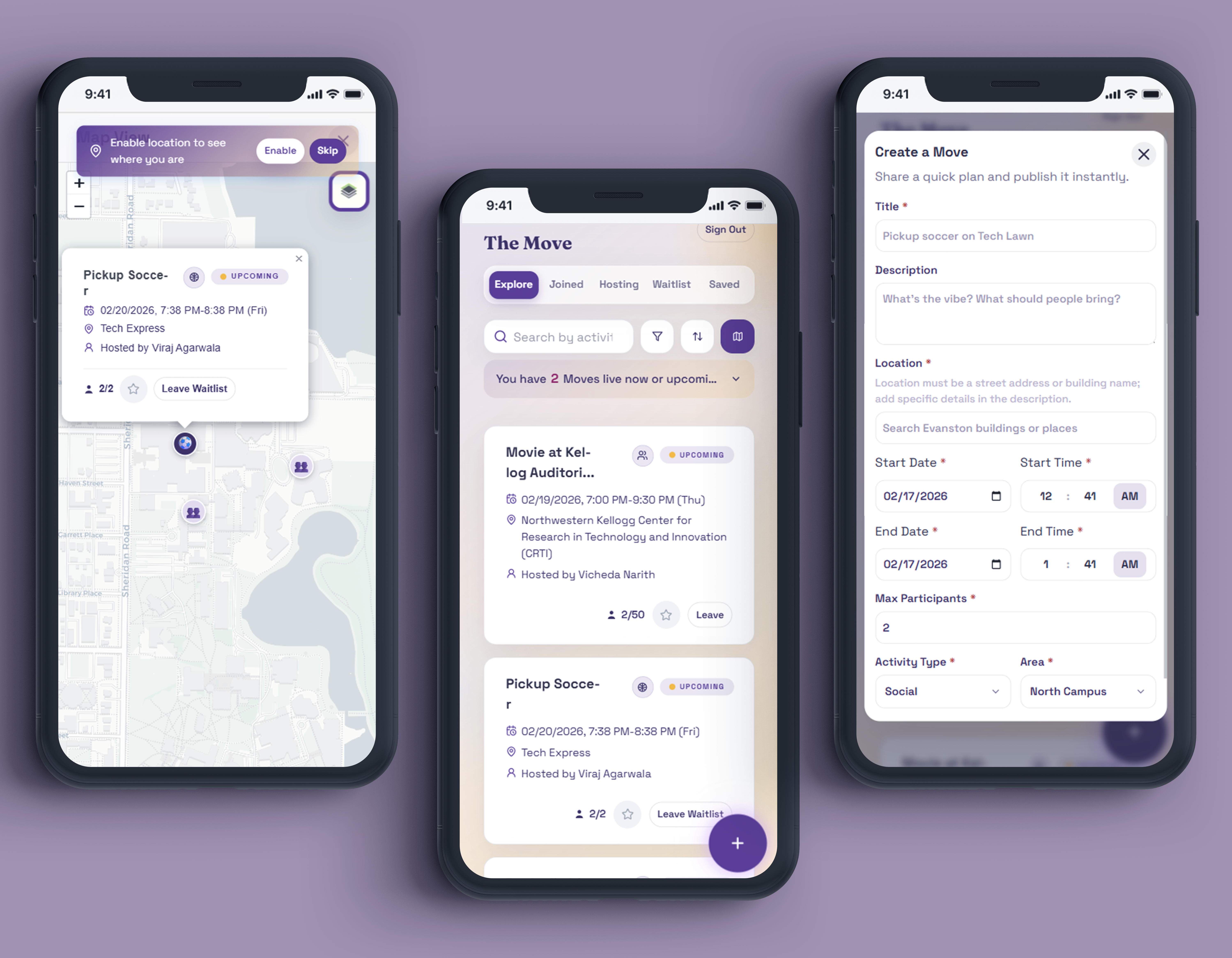
The Move is a lightweight mobile-first social platform designed to help people share, discover, and track everyday “moves”: spontaneous social events that support personal growth, creativity, and community.
Our team used GenAI‑assisted coding to rapidly prototype, test, and refine a social micro‑action app for Northwestern students looking to grow their social circles. We accelerated development velocity by ~60% and resolved the majority of UI bugs within the first two sprints.
The final MVP demonstrates how GenAI can compress the product cycle from ideation to working software, while still supporting thoughtful UX and clear interaction patterns.
Tools
VSCode, Github Copilot, HTML, CSS, JavaScript (React), Firebase, Figma,
Duration
5 weeks, 2026
Team
Myself (UX Design Engineer), Viraj, Vicheda, Kevin, Shan
The Solution
Final Prototype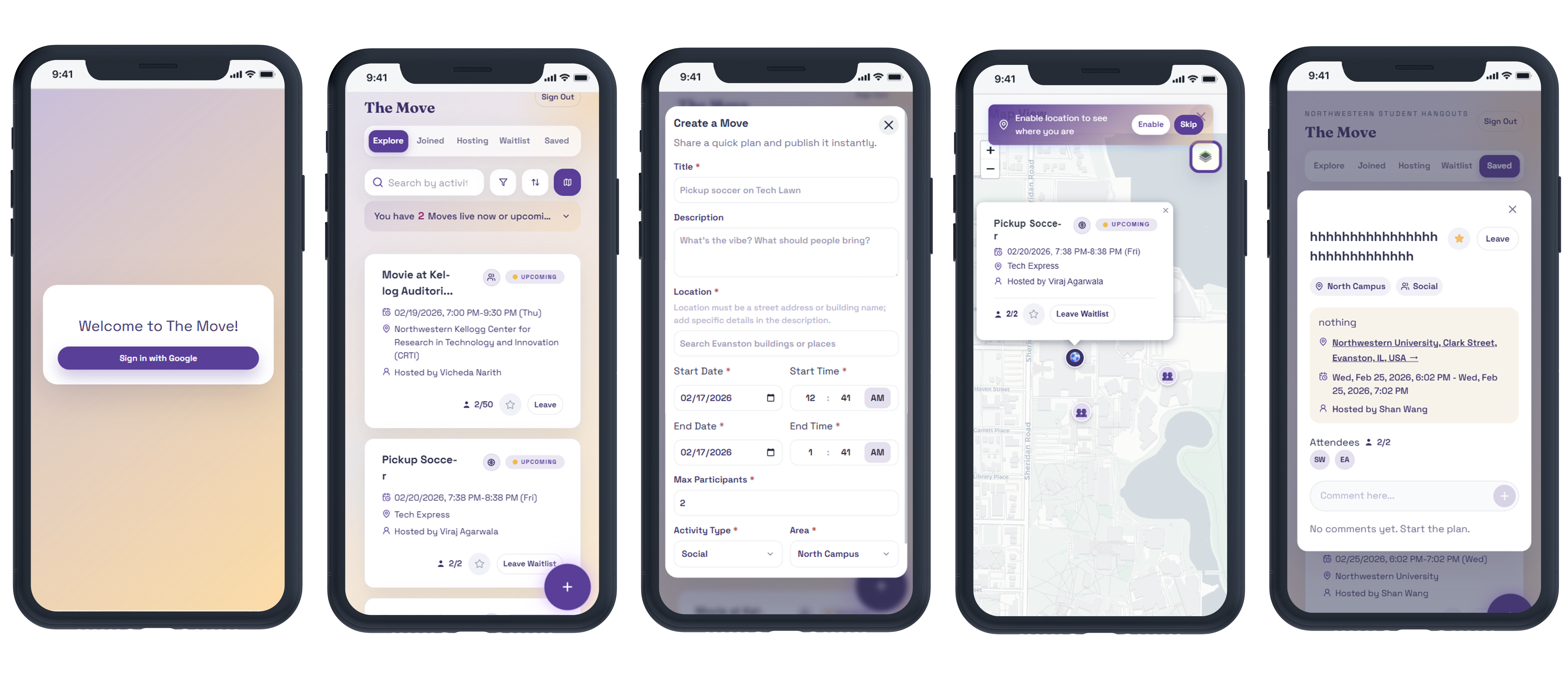
app‑vision.md, and built a functional prototype with 4 core features: Explore feed,
Create a Move,
Map view, and User Dashboard.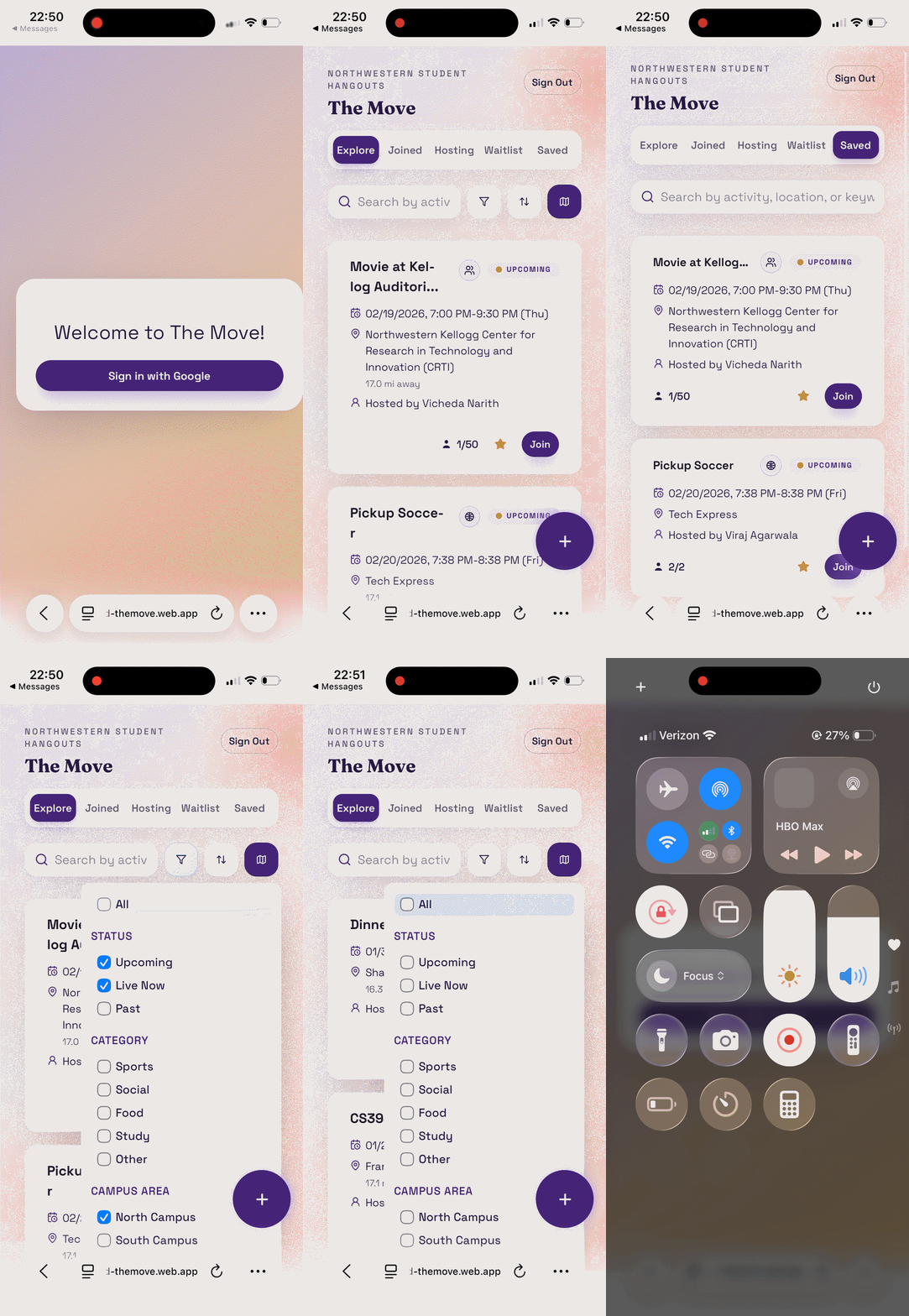
Design Process
StoryboardingOnce we aligned on a clear problem statement and concept direction, we moved into definition by grounding the experience in a simple four‑panel storyboard. This helped us articulate the core user payoff and identify which moments were essential for the first version of the product. From there, we prioritized the minimum set of features required to deliver that value in an MVP.
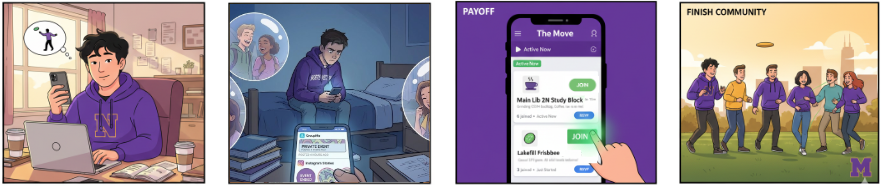
4-panel Storyboard prompted through Nano Banana
Information Architecture
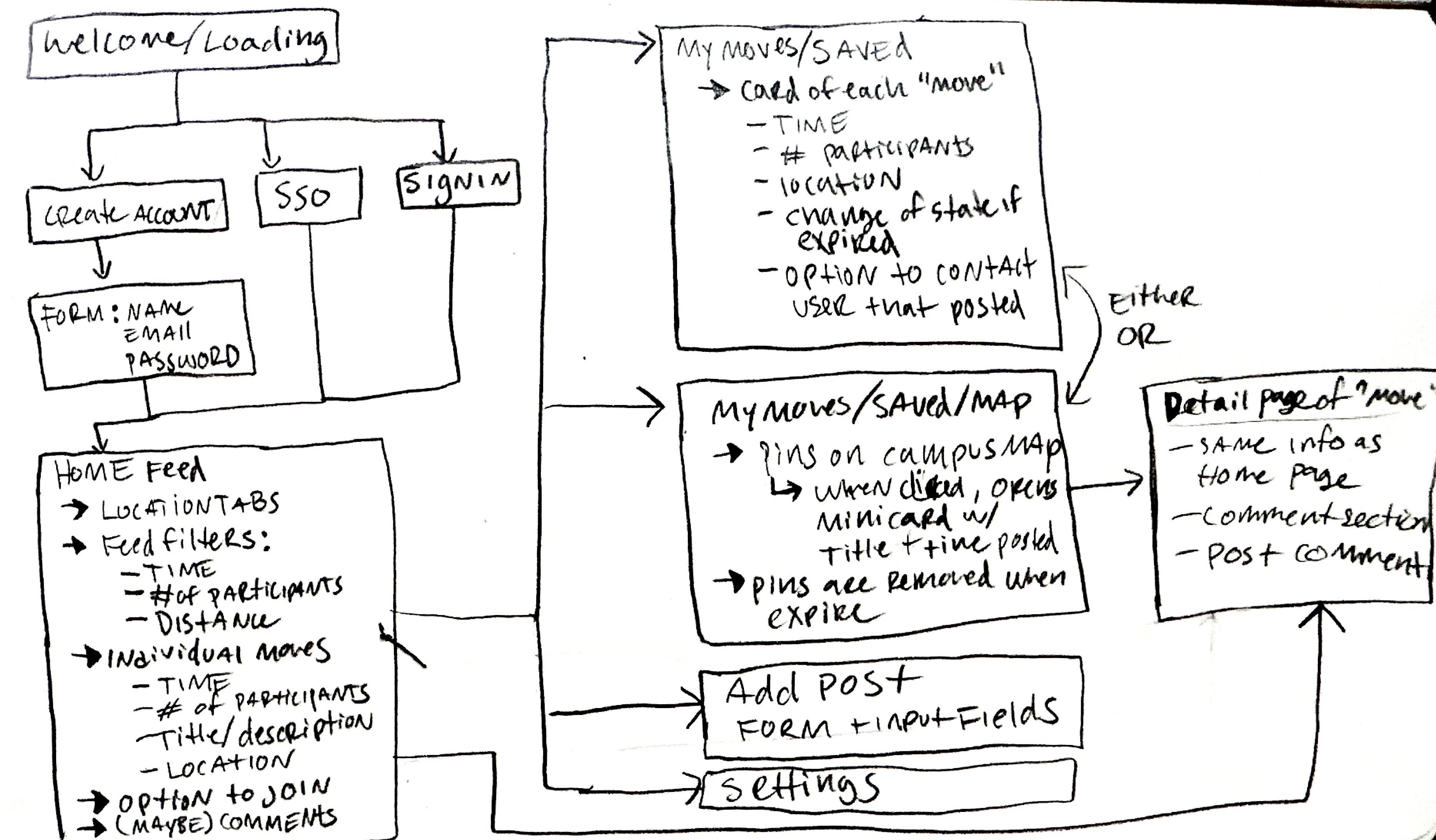
Sketch of IA
To support planning and sprint execution, I created the initial architecture for the app by mapping the overall structure, key flows, and feature placement across each screen. This work fed directly into our shared
app‑vision.md, which became the source of truth for requirements, interaction patterns, and technical assumptions as we moved into development.
Development & Iteration
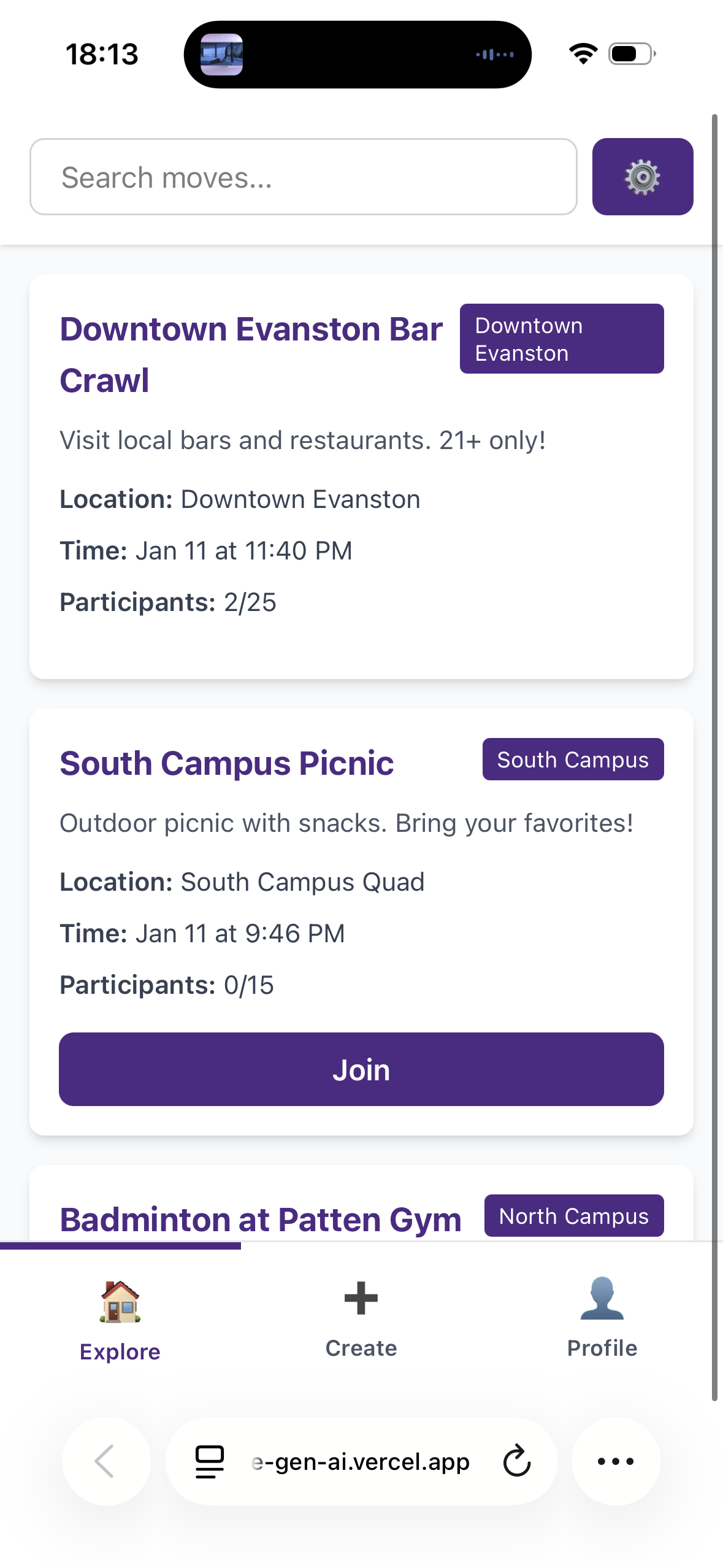
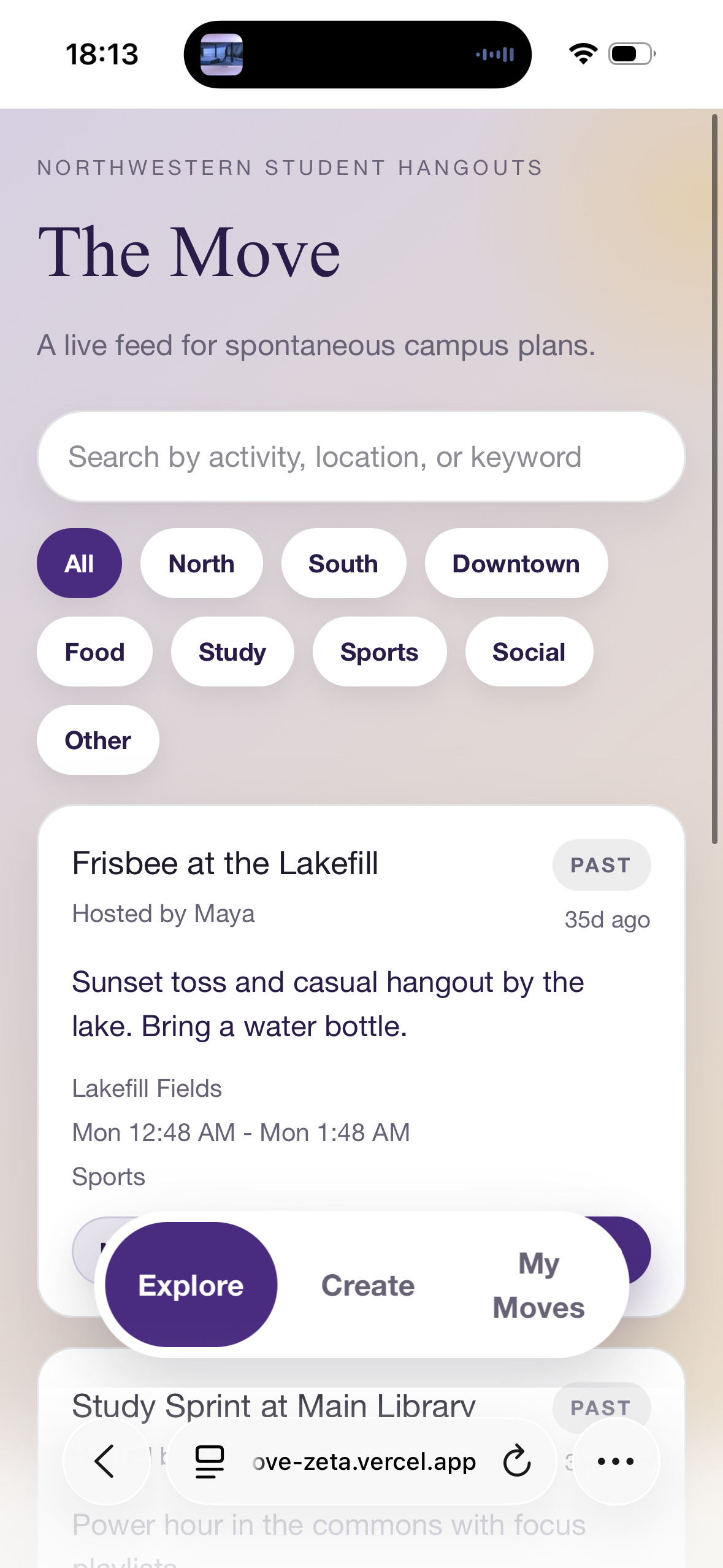
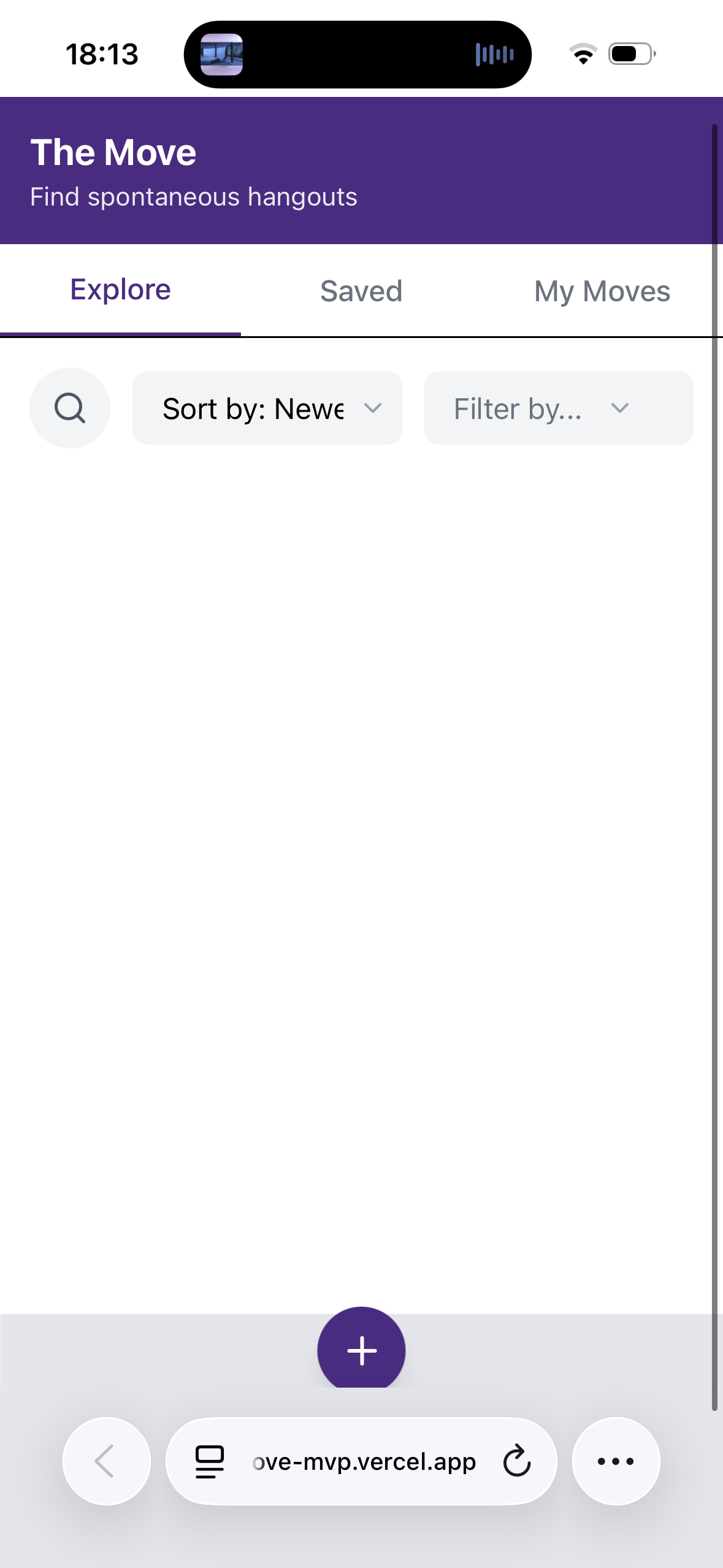
MVP with Github CopilotOnce we aligned on the core problem, we moved quickly into development by engineering targeted prompts to generate multiple MVP concepts. After reviewing each prototype, we selected the direction with the strongest balance of UI clarity and functional feasibility. From there, we iterated rapidly by pairing and debugging through Swarm coding sessions to refine the interaction model and stabilize the build.
Testing & Iteration
Usability TestingAfter two weeks of building and debugging, we ran 5 usability tests across 3 core scenarios to evaluate clarity, trust, and task efficiency. The sessions surfaced a focused set of issues that shaped our next sprint.
Find and join a Move
100%
Create a Move
80%
Locate a Move closest to current location*
60%
What We Fixed (n=5)
| Issue | User Feedback | Our Response |
|---|---|---|
| Create button | "I couldn't find where to make a new move" “My thumb was covering the button, I didn’t see it!” | Increased button size and adjusted placement for thumb reach |
| Time selection | "Why can't I just post this now?" | Defaulted to "now" and streamlined time picker UI |
| Location filters | "Does 'Northside' mean campus or the neighborhood?" | Removed confusing area tags, simplified metadata |
| Trust & safety | "I'm not comfortable meeting random people" | Added .edu verification, full names, location visibility, distance indicators, and event waitlists |
Reflections & Next Steps
Building The Move revealed how to use AI‑assisted prototyping effectively for better creative exploration. I learned that overly prescriptive prompts often produced generic UI, while broader conceptual prompts, refined through progressive constraints, led to more thoughtful, user‑aligned solutions. AI proved excellent for scaffolding (quickly generating 80% of boilerplate), but it consistently struggled with nuanced UX details like thumb‑reach ergonomics and state transitions. Swarm coding amplified the strengths of this workflow: paired debugging cut issue‑resolution time by roughly 60% and prevented us from shipping technically functional but poor user experiences.
Looking ahead, I’d formalize clearer AI‑human pairing protocols to define where human judgment is essential and where AI autonomy accelerates without compromising quality. Our usability testing also surfaced clear opportunities for iteration, especially around trust, clarity, and discoverability. If I continue developing the app, my next steps would focus on deeper testing cycles and implementing the most impactful feature requests identified through user driven insights.
Future Opportunities
Richer profiles for trust‑building
Users wanted to see year, interests, and preferred names (not just their Northwestern directory name).
Improved map discoverability
The map was overlooked when nested under filters. We plan to move it into primary navigation.
Private messaging for organizers
Users wanted a secure way to contact hosts with sensitive questions (e.g., sharing a phone number) without posting publicly in comments.
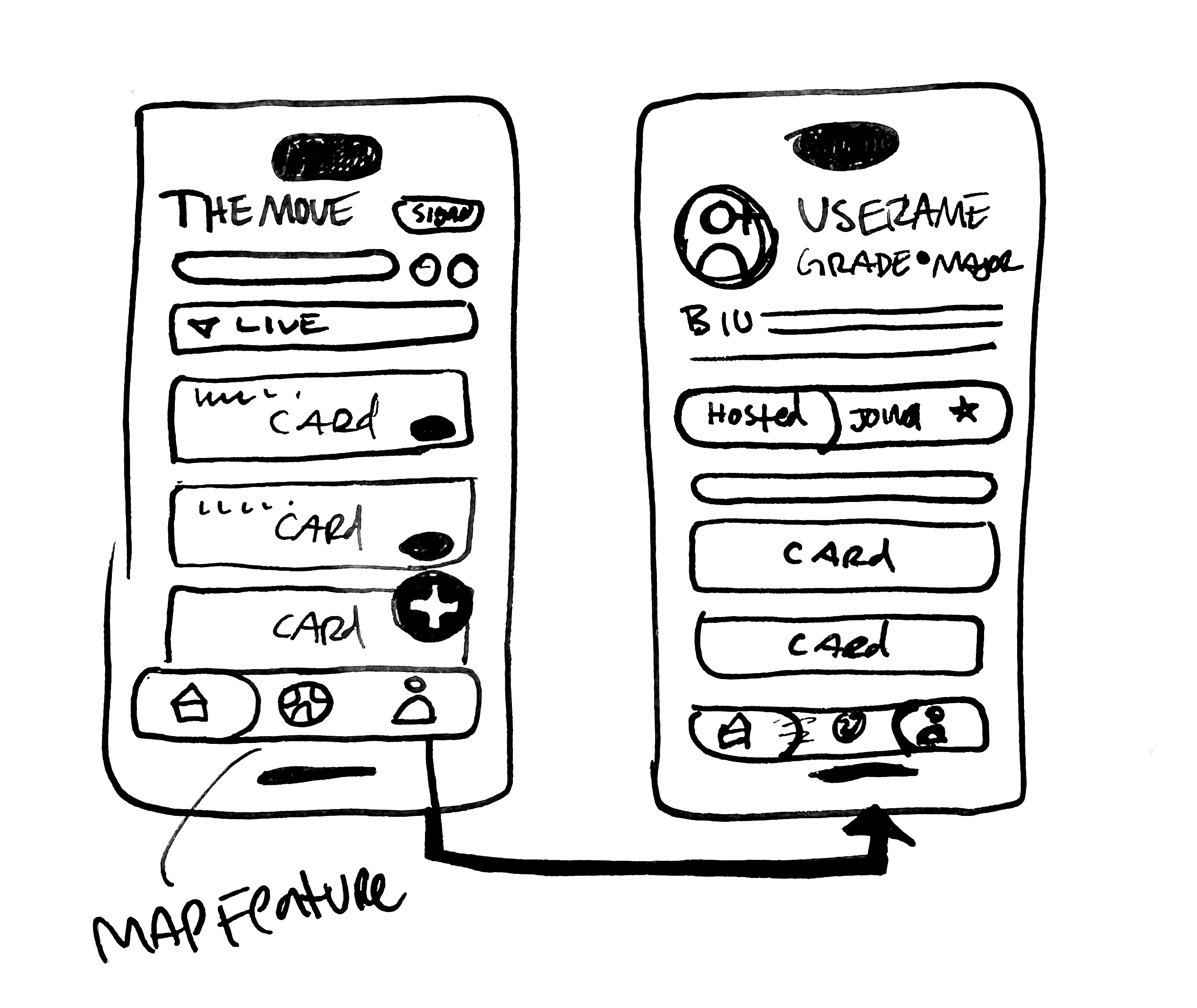 Wireframes sketch of feature iterations

Ellis Aguilar 2026